
Download PDFChef – Free Secure PDF Editor for Windows, Mac & Mobile
PDFChef is the latest PDF editor from Movavi Software Inc., re‑engineered to become the all‑in‑one solution for anyone who works with PDF documents on a daily basis. Formerly known as Movavi PDF Editor, the tool has been renamed and refreshed to better reflect its core purpose: making PDF management fast, secure, and completely intuitive. Whether you need to merge several reports into a single file, extract images from a scanned contract, or convert a PDF into editable Word, PDFChef packs every essential function into a clean, tab‑based interface that lets you handle multiple files at once without slowing down your workflow.
The application runs on Windows, macOS, Android, and iOS, offering a consistent experience across desktop and mobile devices. Because it is built on Movavi’s proven multimedia foundation, PDFChef guarantees a malware‑free environment, ensuring that your sensitive documents stay safe while you edit, annotate, or export them. In short, PDFChef delivers the full spectrum of PDF tools—viewing, creating, editing, extracting, saving, and converting—while keeping the user experience simple enough for beginners and powerful enough for professionals.
Core Features & Capabilities
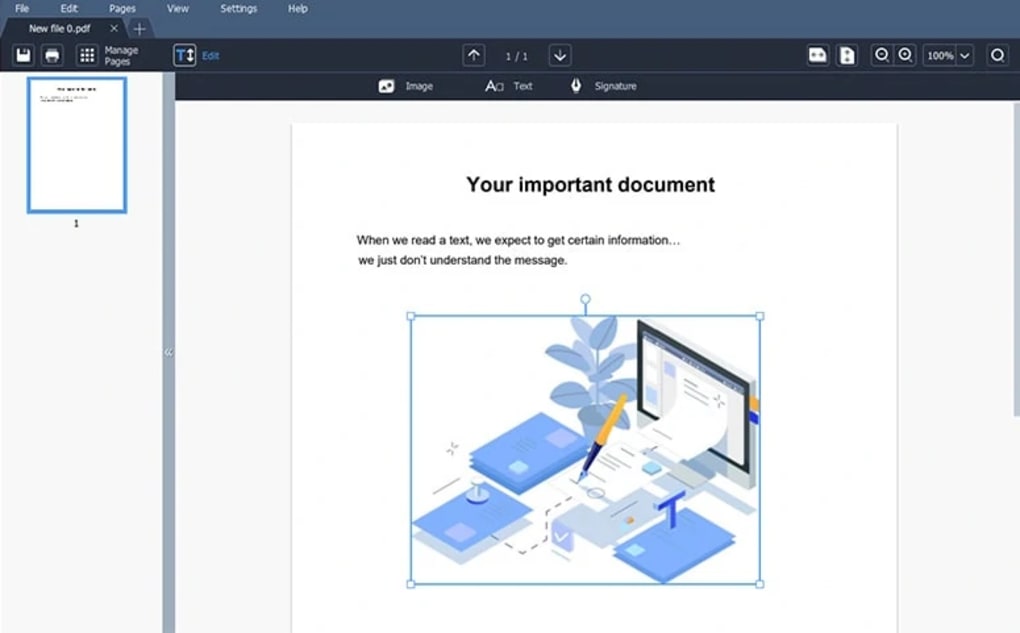
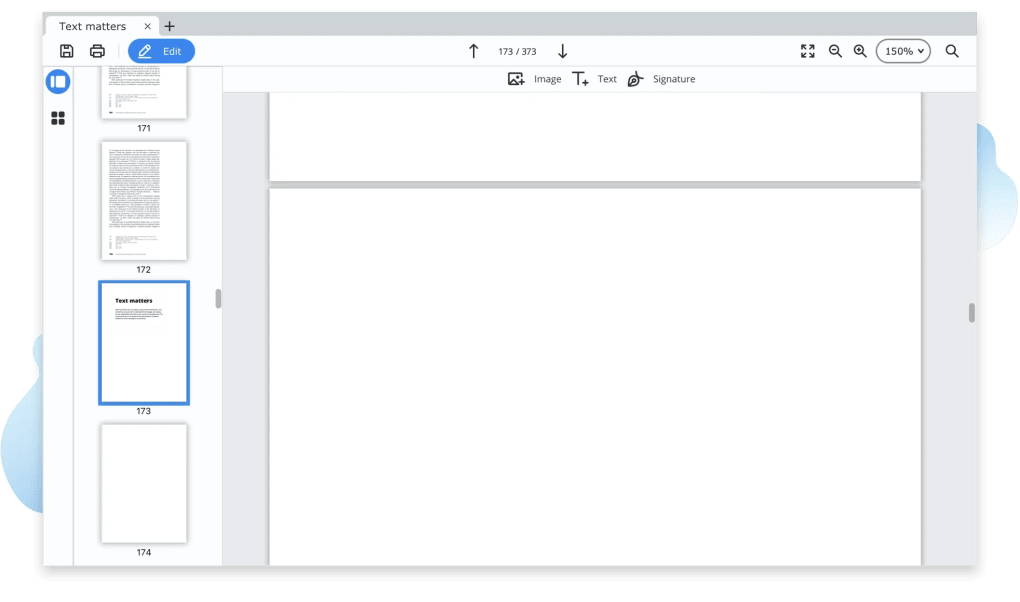
- Multi‑tab workspace – open and edit several PDFs simultaneously.
- Advanced editing mode – rotate, delete, or reposition images and objects.
- Merge & split – combine multiple PDFs into one file or extract specific pages.
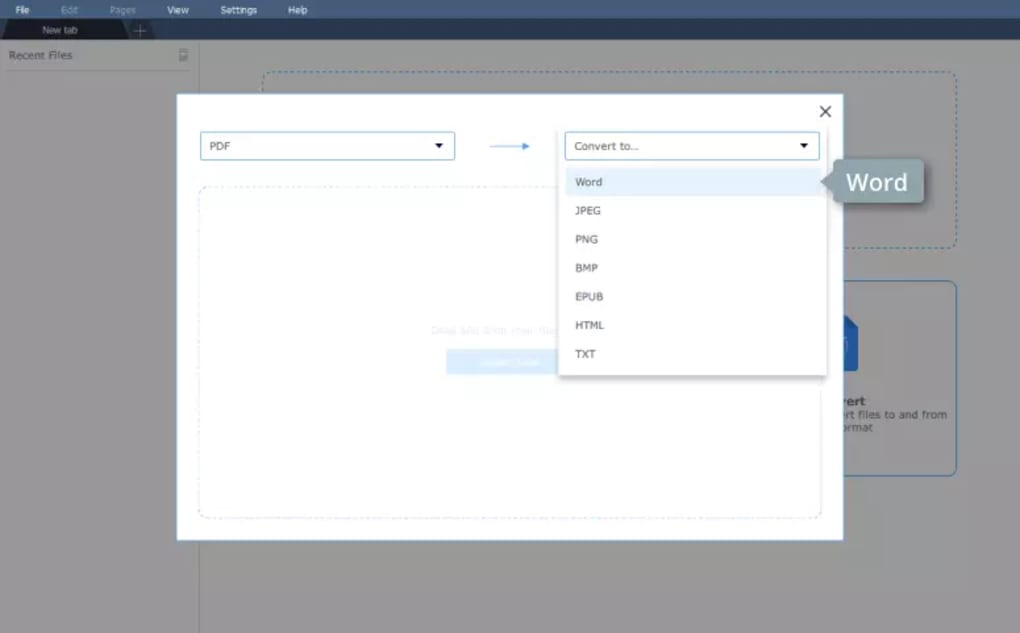
- Conversion suite – export PDFs to HTML, TXT, DOCX, EPUB, and image formats (PNG, JPG, JPEG).
- Secure editing – sandboxed environment guarantees no malware or hidden trackers.
- Batch processing – apply the same operation (e.g., watermarking) to a group of files in one click.
- Annotation tools – add comments, highlights, stamps, and signatures.
- OCR support – turn scanned PDFs into searchable, editable text.
- Customizable color scheme – a modern, eye‑friendly UI that can be switched to dark mode.
- Cross‑platform sync – keep your work consistent across Windows, macOS, Android, and iOS.
Installation, Usage & Compatibility
Getting started with PDFChef is straightforward. For desktop users, download the installer from the official Movavi website. The Windows version is provided as a .exe file, while macOS users receive a .dmg package. Both installers guide you through a typical setup wizard: accept the license agreement, choose an installation folder, and optionally create a desktop shortcut. Mobile versions are available directly from Google Play Store and Apple App Store; a single tap installs the app and automatically registers it with your device’s file manager.
Once installed, launch PDFChef and you’ll be greeted by the tab‑based workspace. To open a document, click the “Open” button or drag‑and‑drop a file onto the interface. The program recognises PDF, PNG, JPG, and JPEG files, allowing you to treat images as PDFs for quick annotation.
To edit, activate the Edit Objects mode—this unlocks image manipulation tools, text box insertion, and object‑layer controls. For conversion, select “Export” from the top menu, choose your target format, and click “Convert”. The process runs locally, preserving privacy and eliminating the need for an internet connection.
PDFChef supports the following operating systems:
- Windows 10, Windows 11 (64‑bit)
- macOS 10.15 Catalina and later
- Android 7.0 and newer
- iOS 13 and newer (iPad and iPhone)
System requirements are modest: at least 2 GB RAM, 200 MB of free disk space, and a graphics card supporting OpenGL 2.0. Because PDFChef runs natively on each platform, you enjoy the same speed and stability whether you are editing a 2‑page invoice on a laptop or a 500‑page contract on a tablet.
Pros, Cons, FAQ & Final Thoughts
Pros
- Intuitive multi‑tab interface makes handling several PDFs painless.
- All‑in‑one tool: edit, merge, split, annotate, and convert without third‑party add‑ons.
- Robust security – no hidden background services or adware.
- Cross‑platform consistency ensures a seamless workflow between desktop and mobile.
- Batch processing saves time on repetitive tasks.
Cons
- Advanced OCR accuracy can vary with low‑resolution scans.
- No native support for PDF encryption/decryption beyond basic password protection.
- Free version limits the number of conversions per day; the full license removes this cap.
PDFChef delivers a surprisingly powerful set of PDF tools in a sleek, user‑friendly package. Its multi‑tab workspace and cross‑platform availability make it a standout for professionals who need to juggle many documents daily. While the OCR could be sharper and encryption features are basic, the overall value—especially after upgrading from the free tier—justifies the modest price tag.
Frequently Asked Questions
Is PDFChef completely free?
PDFChef offers a free trial with limited conversion count per day. To unlock unlimited features, you need to purchase a license.
Can I edit scanned PDFs?
Yes. PDFChef includes OCR technology that converts scanned pages into editable text, though accuracy depends on scan quality.
Does PDFChef support cloud storage integration?
Direct cloud integration is not built‑in, but you can open and save files from Dropbox, Google Drive, or OneDrive using the standard file picker.
Is my data safe when I convert PDFs?
All conversions happen locally on your device; no data is uploaded to external servers, ensuring privacy and security.
Can I use PDFChef on a Chromebook?
Yes, via the Android version available in the Google Play Store, which runs smoothly on most modern Chromebooks.
In summary, PDFChef stands out as a secure, versatile, and easy‑to‑learn PDF editor that works across the major operating systems. Its rich feature set—especially the multi‑tab workflow and batch processing—makes it a worthy investment for both casual users and business professionals. Ready to streamline your PDF tasks? Download PDFChef today and experience a smoother, safer way to manage your documents.







